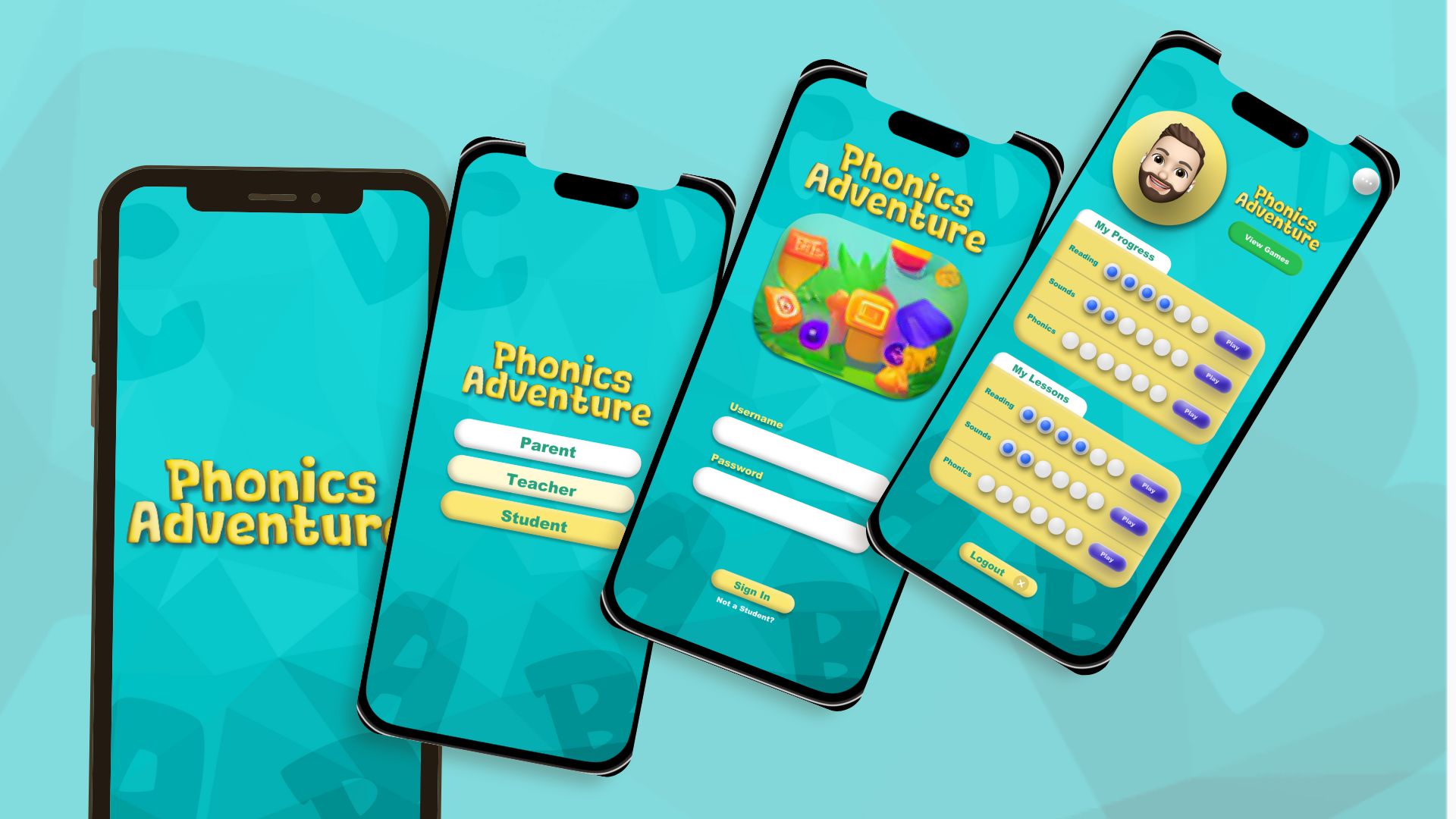
About the Project
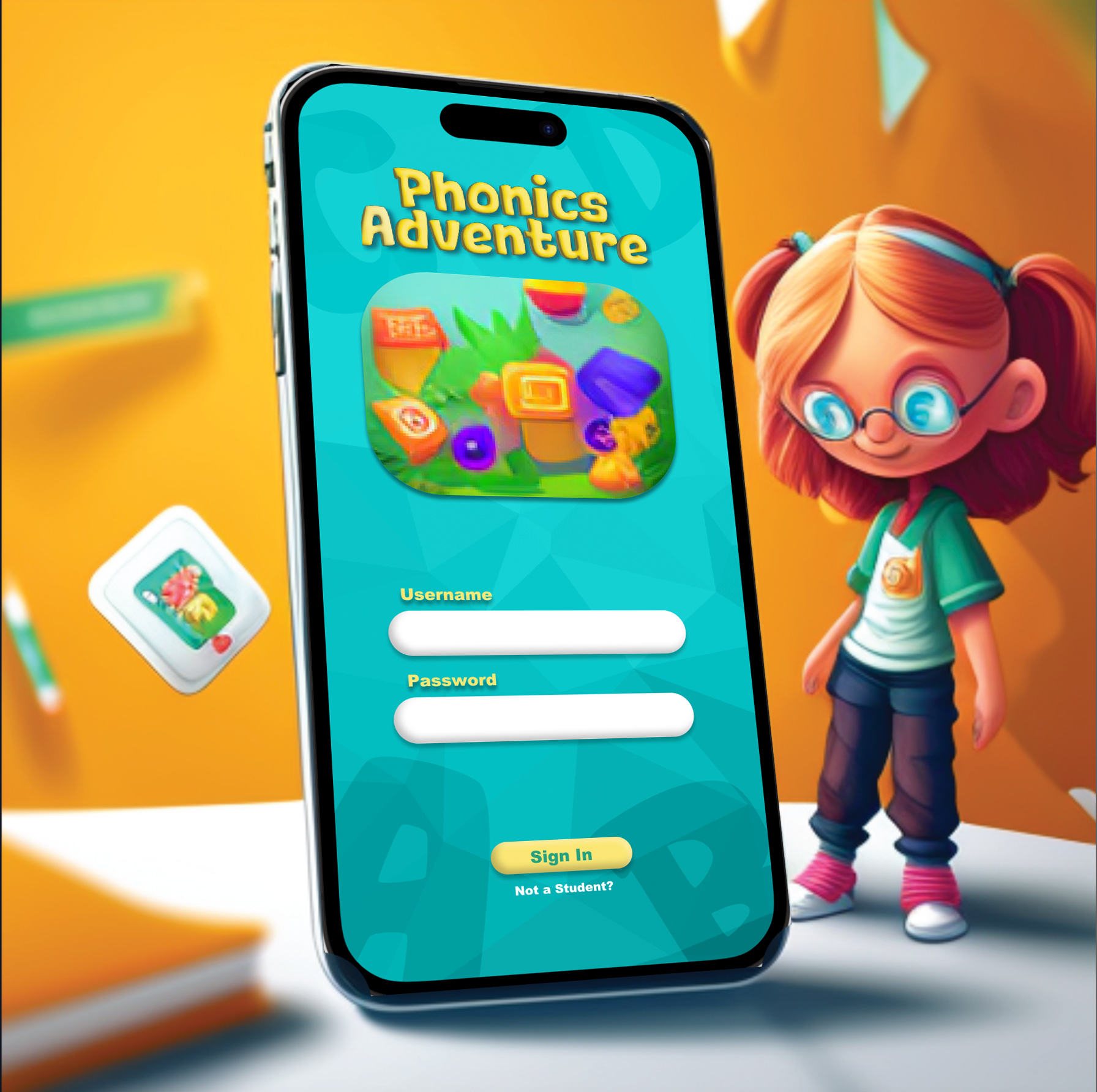
Phonics Adventure is a concept phonics app designed to help elementary students build foundational reading skills through interactive lessons and short practice games. This case study was completed as part of a UX/UI course and was informed by a real conversation with an educator who was considering an app like this. The product did not move into development; the goal was to practice a full UX process from research through prototype.
My Role:
UX/UI Design (research, synthesis, user flows, wireframes, prototype, visual design exploration)
Tools:
Figma / FigJam
Define & Empathize
Many elementary schools face the challenge of teaching phonics in ways that work for different learning styles while keeping students engaged. Traditional instruction can be hard to personalize, and educators often lack simple tools to track progress across skill areas.
This project explores how an interactive phonics app could support early readers with engaging practice while giving parents and educators visibility into progress.
PROBLEM STATEMENT
How might we create an engaging phonics learning experience that supports diverse learning needs and gives educators simple tools to monitor progress?
Outcome goal
Design a mobile learning experience that:
- keeps practice short and engaging for students
- supports flexible learning paths (not only linear progression)
- provides visibility for parents and educators through progress tracking
Ideation & Wireframing
Userflow
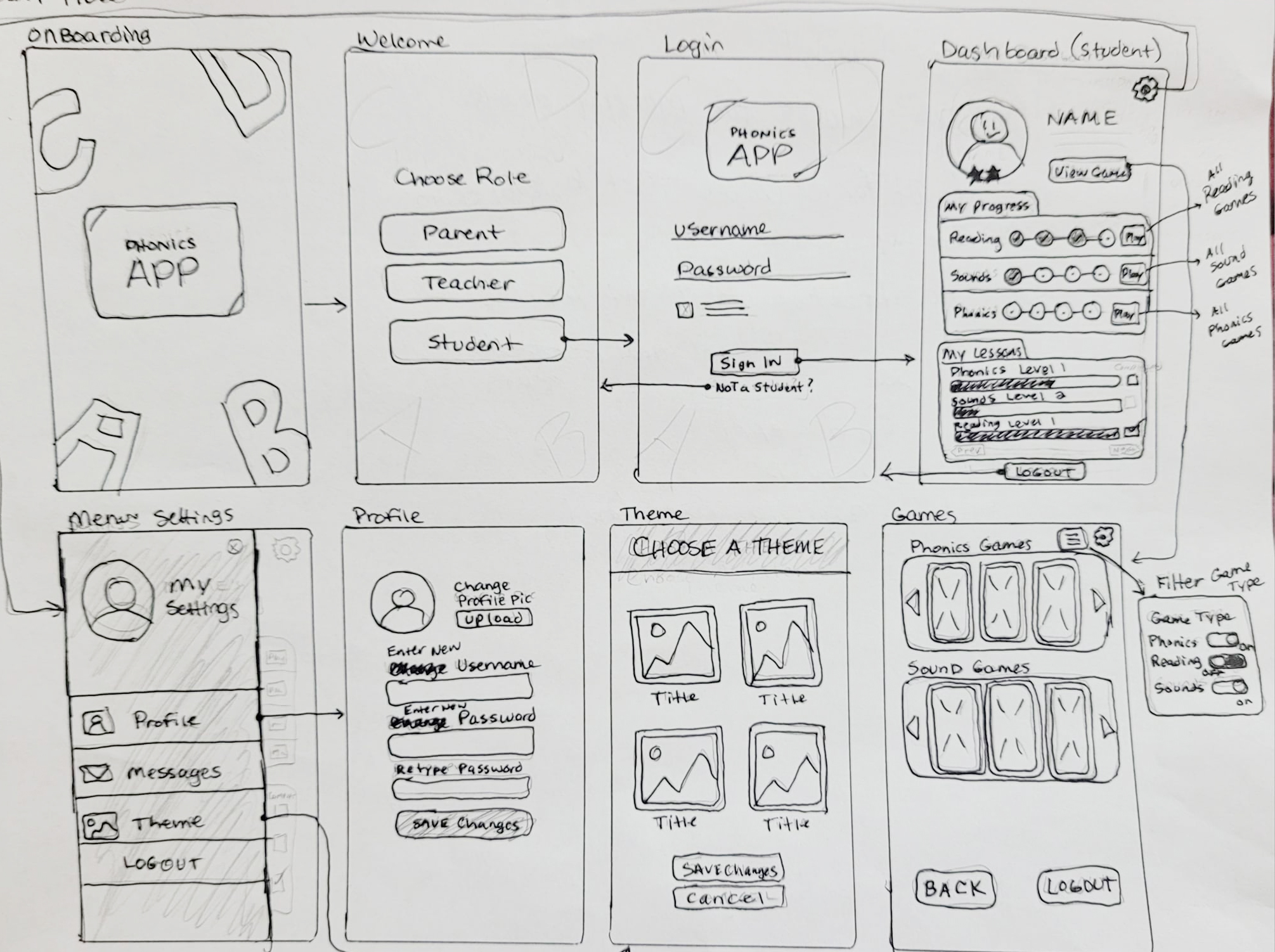
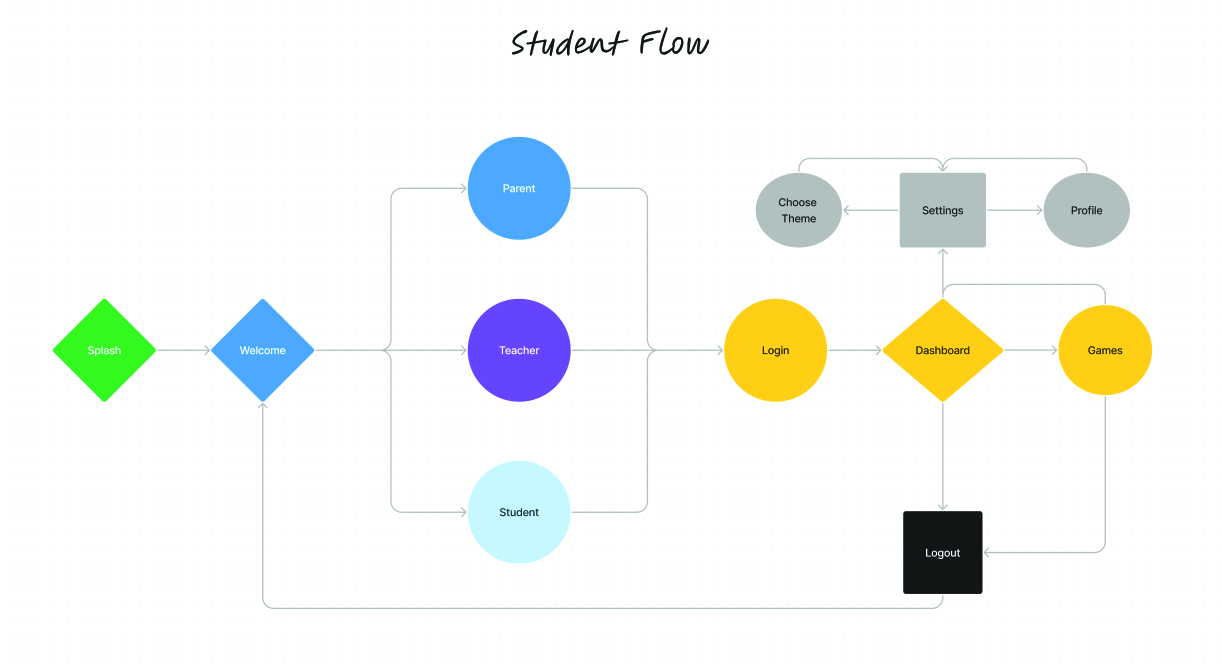
The user flow of the Phonics Adventure app is carefully designed to provide a seamless and intuitive experience for users. It allows children to progress through phonics lessons and games at their own pace, provides parents with I mapped a student-focused flow in FigJam and created low-fidelity wireframes to validate structure and navigation before moving into visual design.
The flow was designed to help students:
- quickly get into practice
- see progress in a simple, motivating way
- move between lessons and practice without confusion
Competitive Analysis
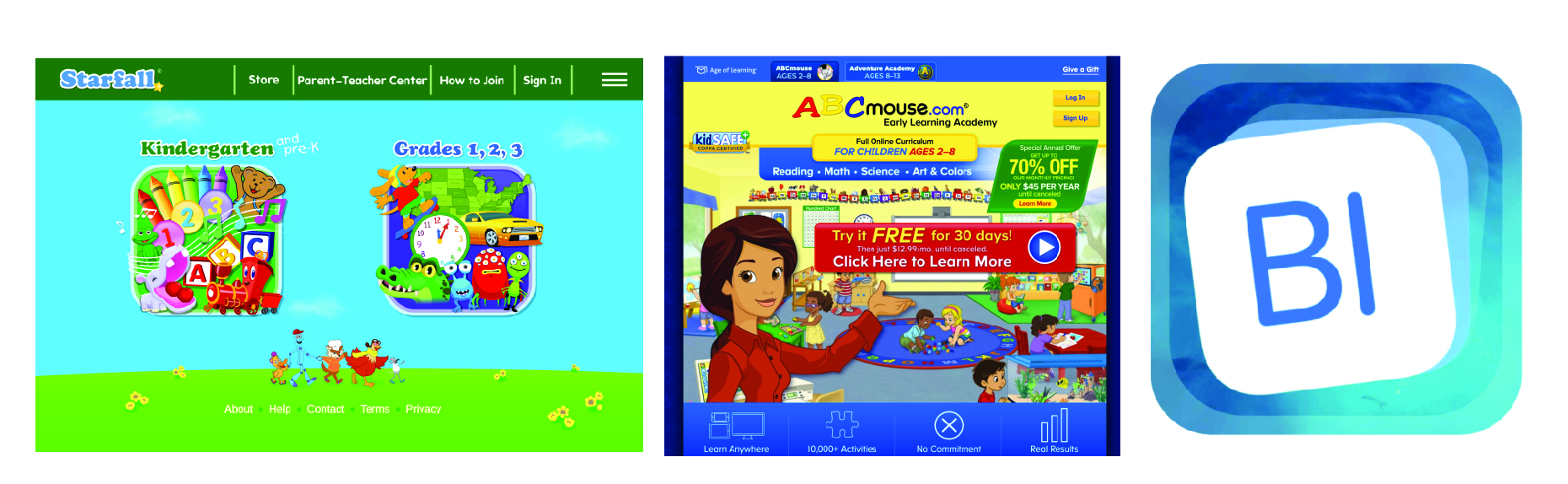
I reviewed key phonics learning apps to identify common patterns and opportunities.
Key opportunity areas observed:
- Many apps focus heavily on sight words and don’t support a broader phonics skill progression.
- A lot of apps enforce linear progression, which limits personalization for students who need targeted practice.
Design direction based on findings:
- Support both guided learning and flexible “choose a skill” practice.
- Keep the experience simple, predictable, and motivating for young learners.
User Research
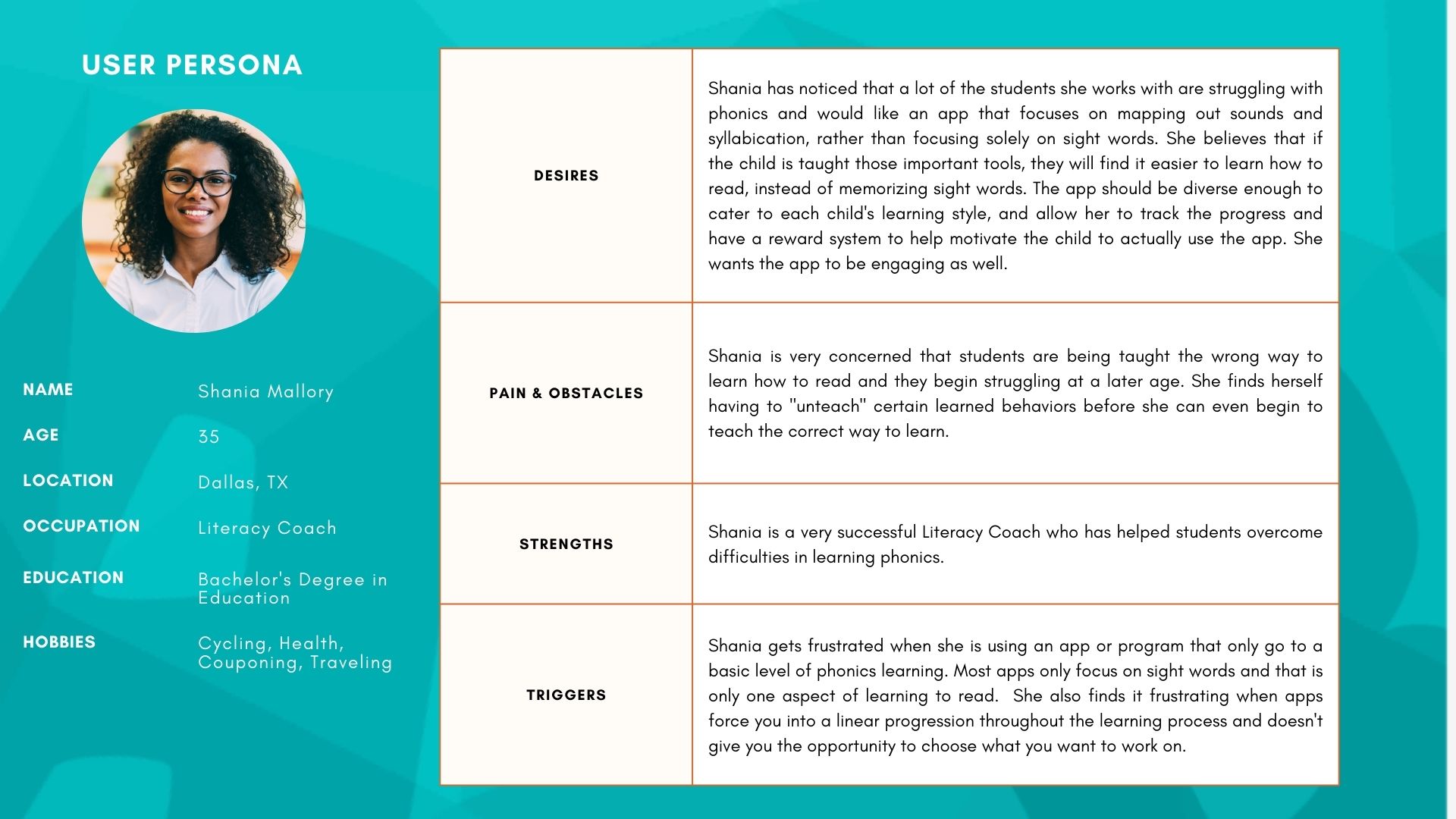
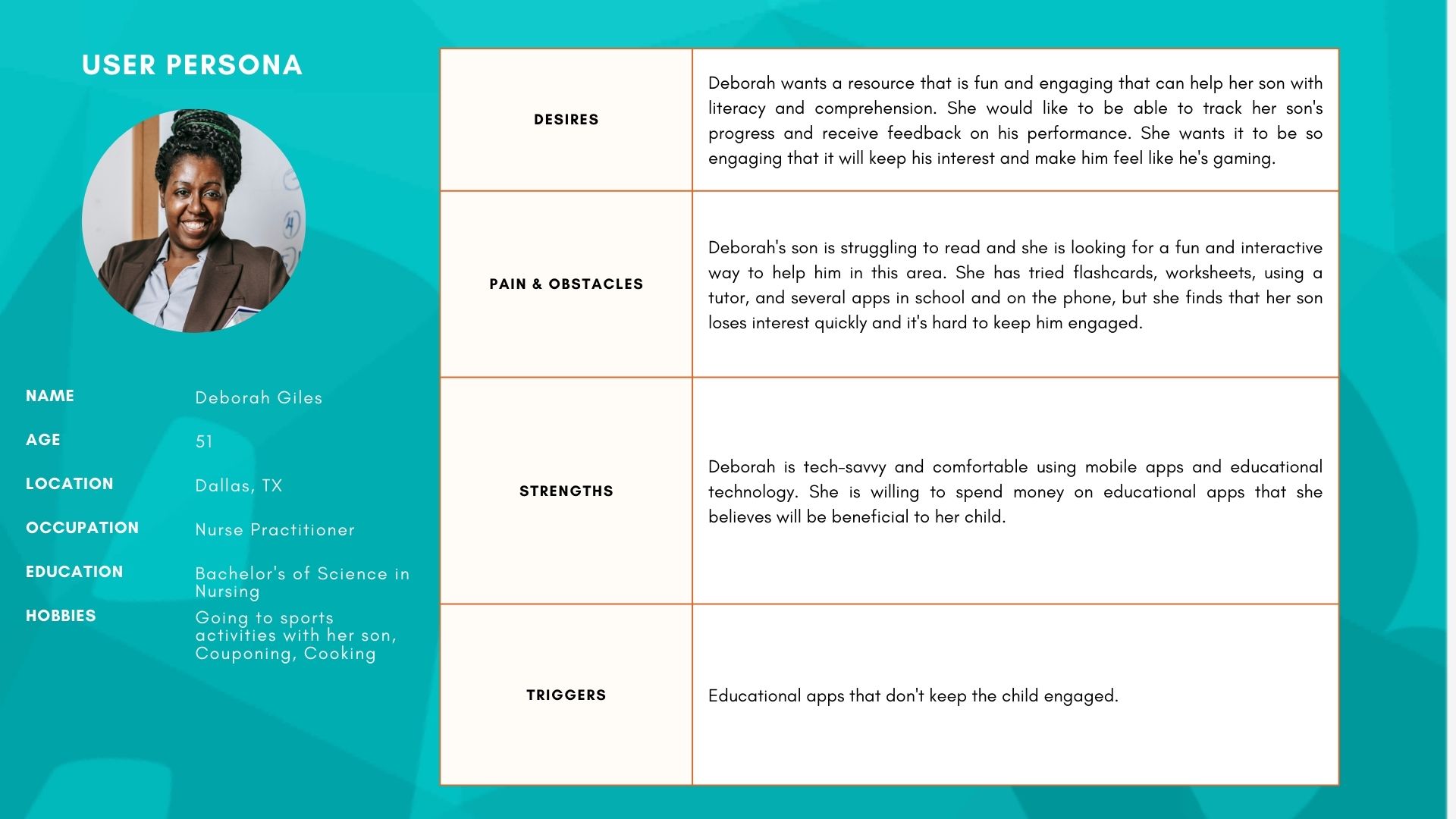
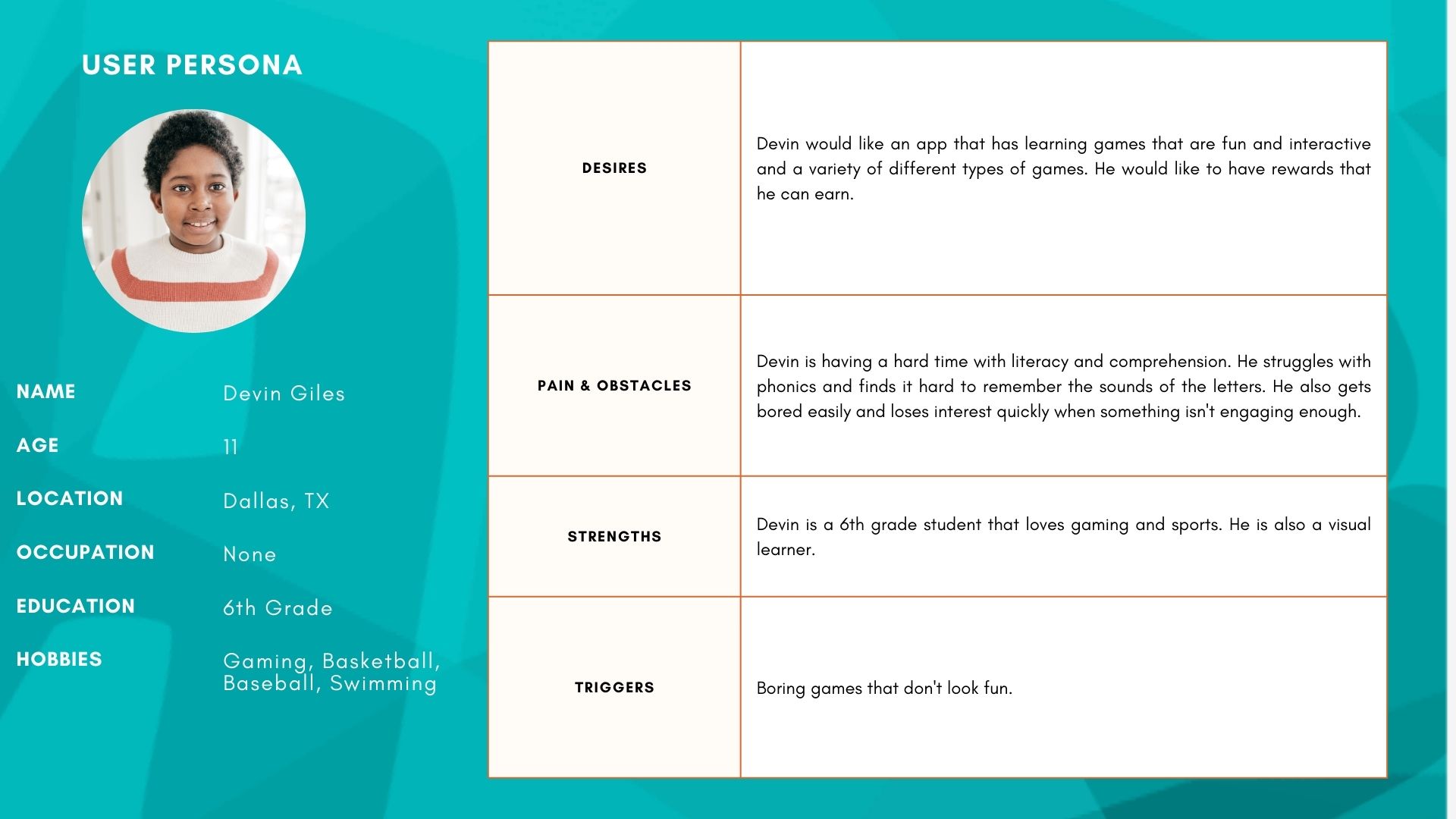
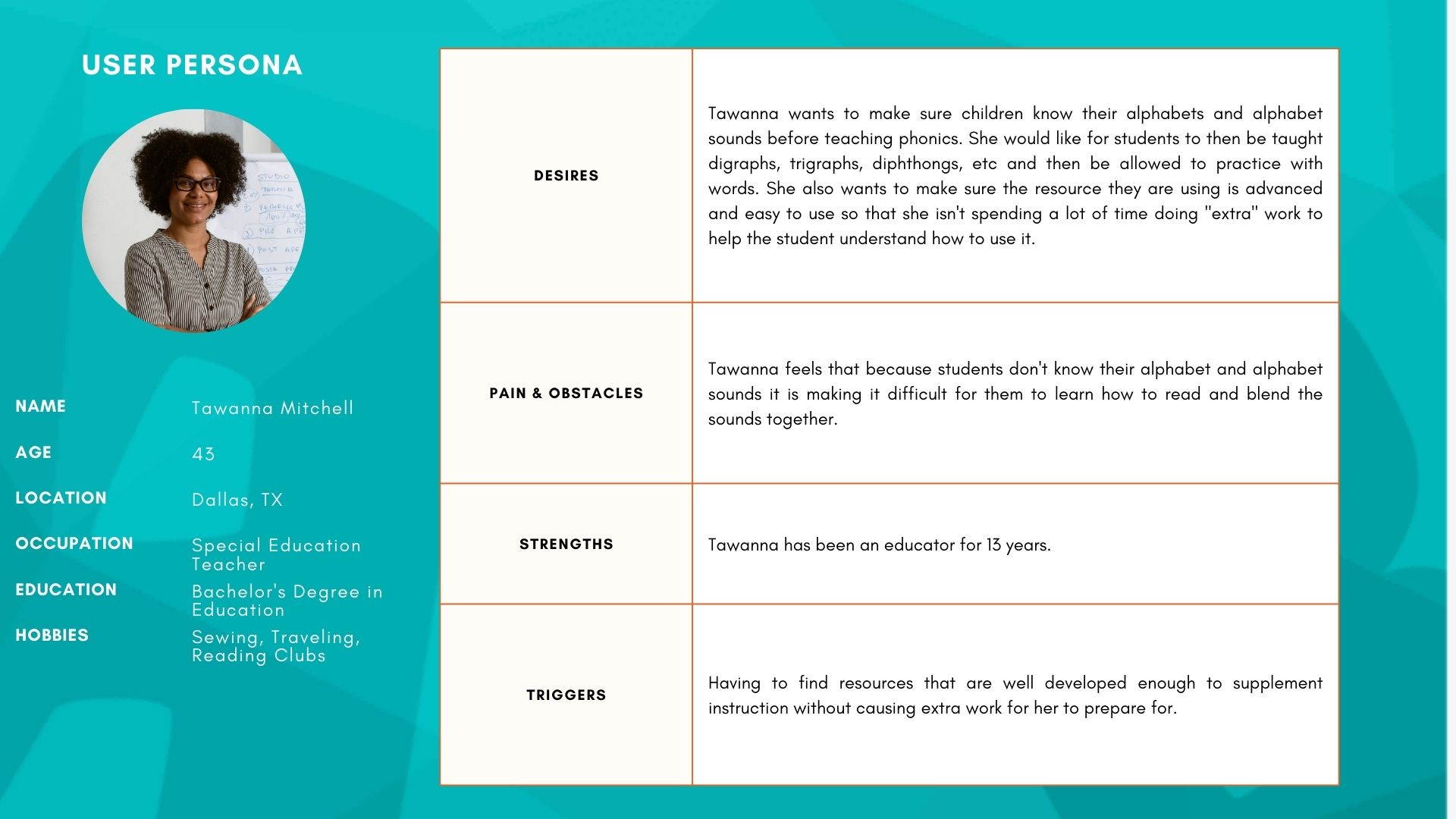
Phonics Adventure is designed for three core user groups:
- Students (elementary learners practicing phonics skills)
- Parents (supporting learning at home)
- Educators (tracking progress and identifying skill gaps)
To ground this concept in real needs, I conducted interviews with:
- a literacy coach
- a special education teacher
- a parent
- a child
The personas and requirements were built from recurring themes across these interviews.
Next Steps
What I’d Improve Next
This concept reached early high-fidelity mockups, but additional validation would be needed before development. Next steps would include:
- Usability testing with 5 students and 3 educators to evaluate navigation, comprehension, and engagement
- Iteration on key friction points (where kids get stuck or lose interest)
- Accessibility review focused on early learners (readability, tap targets, clear feedback)
- MVP definition to prioritize the smallest feature set needed for learning + progress tracking
Results
- Interviews completed: 4 (literacy coach, special education teacher, parent, child)
- Deliverables: personas, competitive analysis, student user flow (FigJam), low-fi wireframes, high-fi mockups
- Key differentiation: supports broader phonics skills (not sight words only) + avoids forced linear progression

Challenges
Competitive Analysis
I reviewed key phonics learning apps to identify common patterns and opportunities.
Key opportunity areas observed:
- Many apps focus heavily on sight words and don’t support a broader phonics skill progression.
- A lot of apps enforce linear progression, which limits personalization for students who need targeted practice.
Design direction based on findings:
- Support both guided learning and flexible “choose a skill” practice.
- Keep the experience simple, predictable, and motivating for young learners.
Phase 2: Ideation & Wireframing
Userflow
The user flow of the Phonics Adventure app is carefully designed to provide a seamless and intuitive experience for users. It allows children to progress through phonics lessons and games at their own pace, provides parents with I mapped a student-focused flow in FigJam and created low-fidelity wireframes to validate structure and navigation before moving into visual design.
The flow was designed to help students:
- quickly get into practice
- see progress in a simple, motivating way
- move between lessons and practice without confusion